One of the questions I’m most frequently asked by lovely readers is what I use to blog / take my pictures, and how I edit my photos. So here is a roundup to all my favourite gadgets and apps.
To write my blog: I am seriously attached to my Apple MacBook Pro, and my blog is self-hosted on WordPress.org (meaning I pay a monthly hosting fee and built the design from scratch).
On the go: Though I’m really a pen and paper girl (for my endless ‘to do’ lists and ideas), if I’m travelling then I’ll take my iPad (which lives in a Stella McCartney Falabella case) or my new Samsung Galaxy Note tablet (which comes with the snazziest pen for hand-drawing and writing over pictures) for checking in.
Photography: Until this point, I’ve mostly used a Canon 1000d (the perfect entry-level digital SLR camera) for my blog photos, but I’ve just upgraded to a Canon 650d which so far seems perfect. If I don’t want to take a big camera but want something in my bag ‘just in case’, then the Olympus Pen Mini is excellent (it works like an SLR, but is a fraction of the size / weight and you can also add photo filters a la Instagram). Regardless of the camera I’m using, I always shoot on manual so that I can set the ISO higher and the shutter speed lower than it would otherwise be on automatic (to give a brighter, breezier look).
Phone: I am rather permanently attached to my iPhone, and between checking my emails, approving comments, writing from the train, snapping pictures of little things that make me smile, and updating my social media, sometimes it feels as though my blog could barely function without it. My favourite apps are Instagram, Hootsuite to keep up with my Twitter feed (you can create categories and columns, meaning you can just check your favourites or your mentions if you’re short on time) and Dropbox to easily transfer photos between my phone and computer.
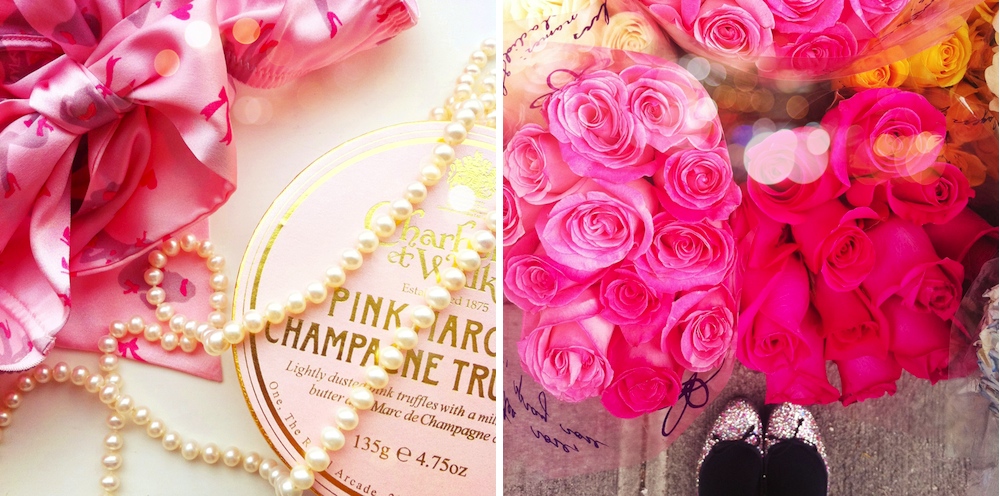
Photo-editing: I am really rather low-fi and do as little as possible when it comes to editing (I prefer good, natural lighting to post-processing), but sometimes I do give my pictures a little tweak. Oh my phone, Instagram (I always use the Earlybird filter) is by far my favourite app (I always put my ‘month in pictures’ posts together using the pictures I’ve snapped on Instagram), but I also love the PicFX app for the bokeh effects (that gives the little twinkly lights in the two pictures above) and the rosy Marshmallow filter (also in the two pictures above). For my main (camera) photos, I’ll sometimes use PicMonkey (like Photoshop-lite, but free and online and easy-peasy to use) to brighten, crop or blur photos, smooth out a blemish or add a slight filter (I like a touch of Tranquil for a vintage look). You can also make collages on PicMonkey, but I tend to use either Polyvore for a collection of products (like my ‘monthly loves’ posts) or, for my ‘month in pictures’ posts, literally line the images I want up in a square on my computer’s draw programme and then save them as a jpg file (I told you I was low-fi!).
…And there you have it; all my blogging secrets revealed!
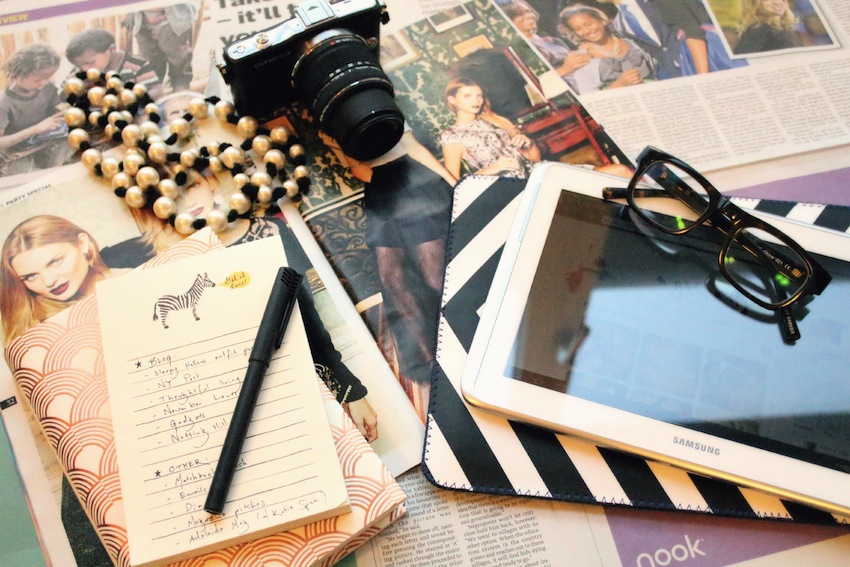
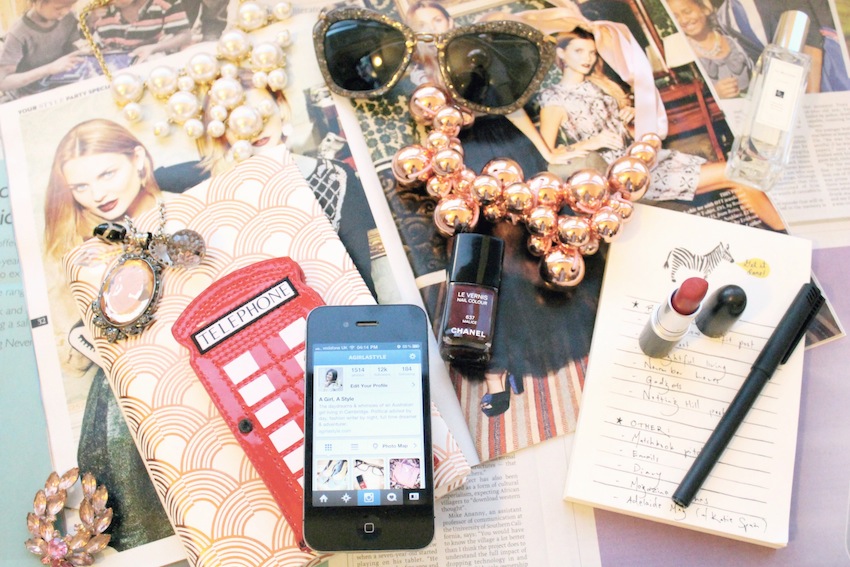
Photos: (top) Apple iPhone, Lulu Guinness phone case, Chanel Malice nail polish, Miu Miu sunglasses, Rifle Paper co. Notepad, Bauble Bar necklaces, Mimco cameo necklace (old), vintage brooch, Mac Ruby Woo lipstick, The Great Gatsby book.
(bottom) Samsung Galaxy Note tablet and Nicholas Kirkwood chevron case, Warby Parker glasses, Mimco pearl necklace, Olympus Pen Mini camera.
Feel free to ask me any more questions, and please do share your favourite apps and gadgets in the comments below.
Love, Miss B xx

i was wondering if you could share some ebay buying tips and tricks? and onlines hopping tips as well?
I would like that too! 🙂
Smiles,
Maia/www.fitskinnyandhealthy.wordpress.com/
love these 🙂
Irene Wibowo
Thank you for revealing all your secrets! : ) These tips were very helpful! Love your blog! You photos are amazing!
Danielle xo
I’ve seen that art deco copy of The Great Gatsby before, but at first glance, I thought it was a (beautiful) iPad cover! I love those two middle photos — the added bokeh effect and glow they have make everything seem so rosy (please pardon the pun). Thanks for sharing these.
Oh, just noticed the telephone box phone case! That’s certainly going on my wish list.
What a fantastic post and thanks so much for sharing – can’t believe I’d not heard of Pic Monkey…its amazing! Your photos constantly inspire me and always look amazing B xxx
I can’t believe I have not heard of Pic Monkey either, thank you for sharing.
I actually just took notes 😉
Thank you so much for sharing your secrets, Briony! Your photos are always so beautiful, chic, dreamy and glamorous! It’s so great to get a peek into your tech equipment 🙂
xx Ivana
Macarons and Pearls
Thanks for sharing your blogging tips! I always wondered how you captured such a lovely rose-tinted world.
You’ve obviously got an eye for a great photo. I wondered if you had any top tips based on how you style/frame your pics? Either for Instagram or your blog?
x
I’ve been thinking more and more about the Samsung Galaxy Note phone. I’m surprised how many people have been converted from an iPhone to an android phone. Thank you for the tips. I’ll check out the apps that you’ve recommended.
Thanks so much for sharing all this. I have always loved the way you style your photos and have long wondered how you did that ‘passport photo’ arrangement in the monthly ‘likes’
Thanks so much for this post, I always take a look at your photo’s & think they’re fabulous, so it’s great to read about some the tips & tricks behind them. Timely too, as I’m about to get stuck into my own blog about property. Thank you x
Oh my goodness this helps so much! Have been looking for something like the Olympus Pen Mini for when I’m on the go, so I’ll have to look into that! Also need to try PicMonkey now. Thanks SO much for sharing lady! xx
So glad to have read this post of yours, Miss B! I’ve learned a thing or two that I might want to try with my camera. Do you think that it is a necessity to buy a DSLR (even just an entry level one) if I want consistently nice photos for my blog?
Abi
Some great info here!!! Thanks for letting us know the secret to your blog, hehe..PicMonkey sounds interesting, will look into it!
Cinz
http://cinzee.wordpress.com
Love this post, so many great tips, I’ve been looking for a free macbook application for editing photos for a while now, picmonkey is amazing! Love your collection of lovely things in your pics, makes me want to paint them! x
So helpful! Thank you 🙂
I love using Photoshop Express and ColourManager for tweaking my pics!
Your zebra notepad is gorgeous, where is it from?